
Know what changed on every network device.
Retivo backs up the configs of your switches, routers and firewalls, shows you every change line by line, and tells you which devices need patching. It runs inside your network. You work from anywhere.
Free for 2 devices, no card needed.
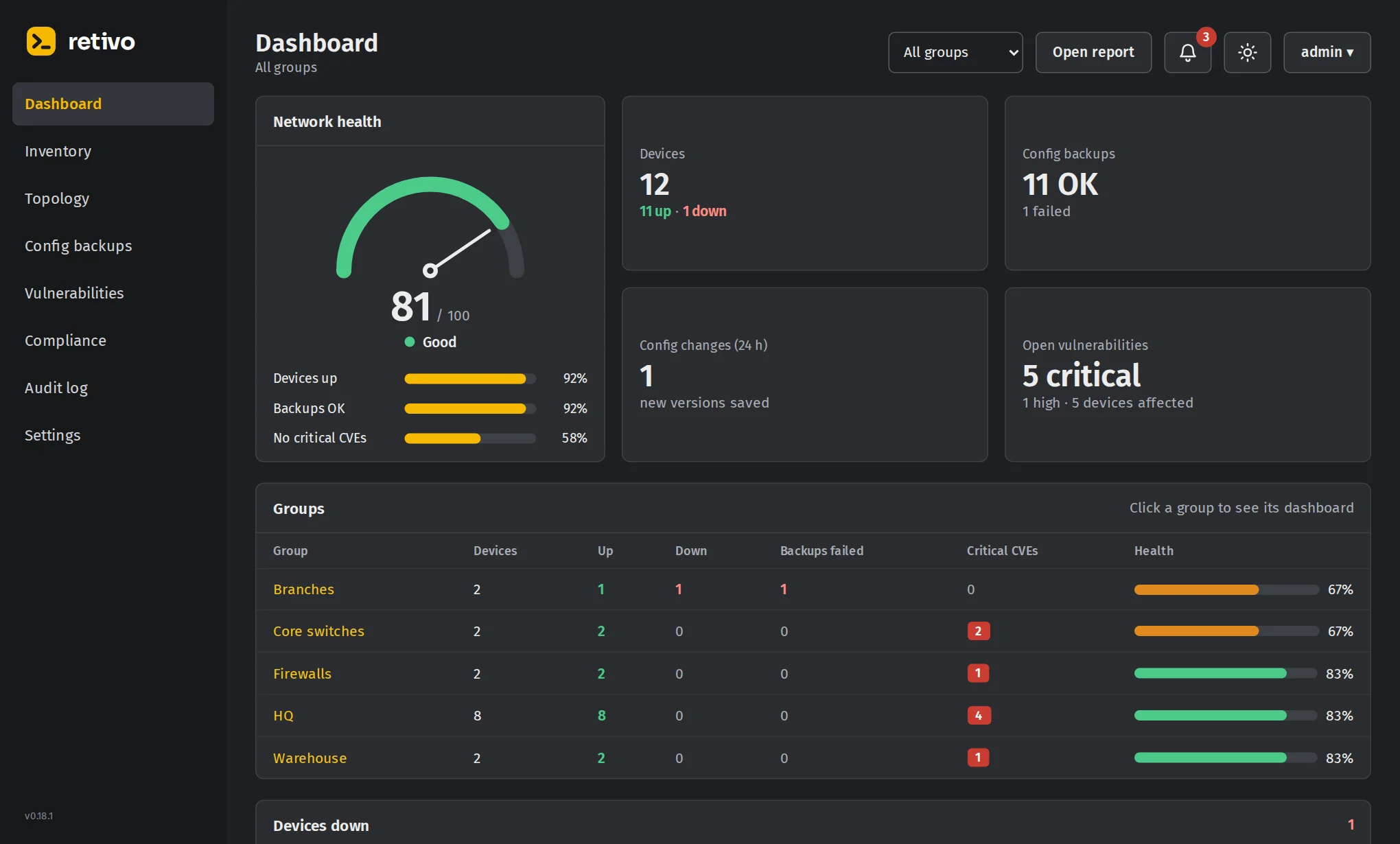
- core-sw-01Cisco IOS XENo change
- dist-sw-02Aruba CXNo change
- edge-fw-01FortiGate2 lines changed
- br-rtr-07MikroTikNo change
- ap-ctrl-01Aruba Instant On1 critical CVE
config firewall policy
    edit 12
-       set srcaddr "all"
+       set srcaddr "office-lan"
-       set service "ALL"
+       set service "HTTPS" "SSH"
nextWorks with
- Cisco
- Fortinet
- MikroTik
- Aruba
- Juniper
- Huawei
- TP-Link
- Ubiquiti
- Starlink
Know which devices are vulnerable before an attacker does.
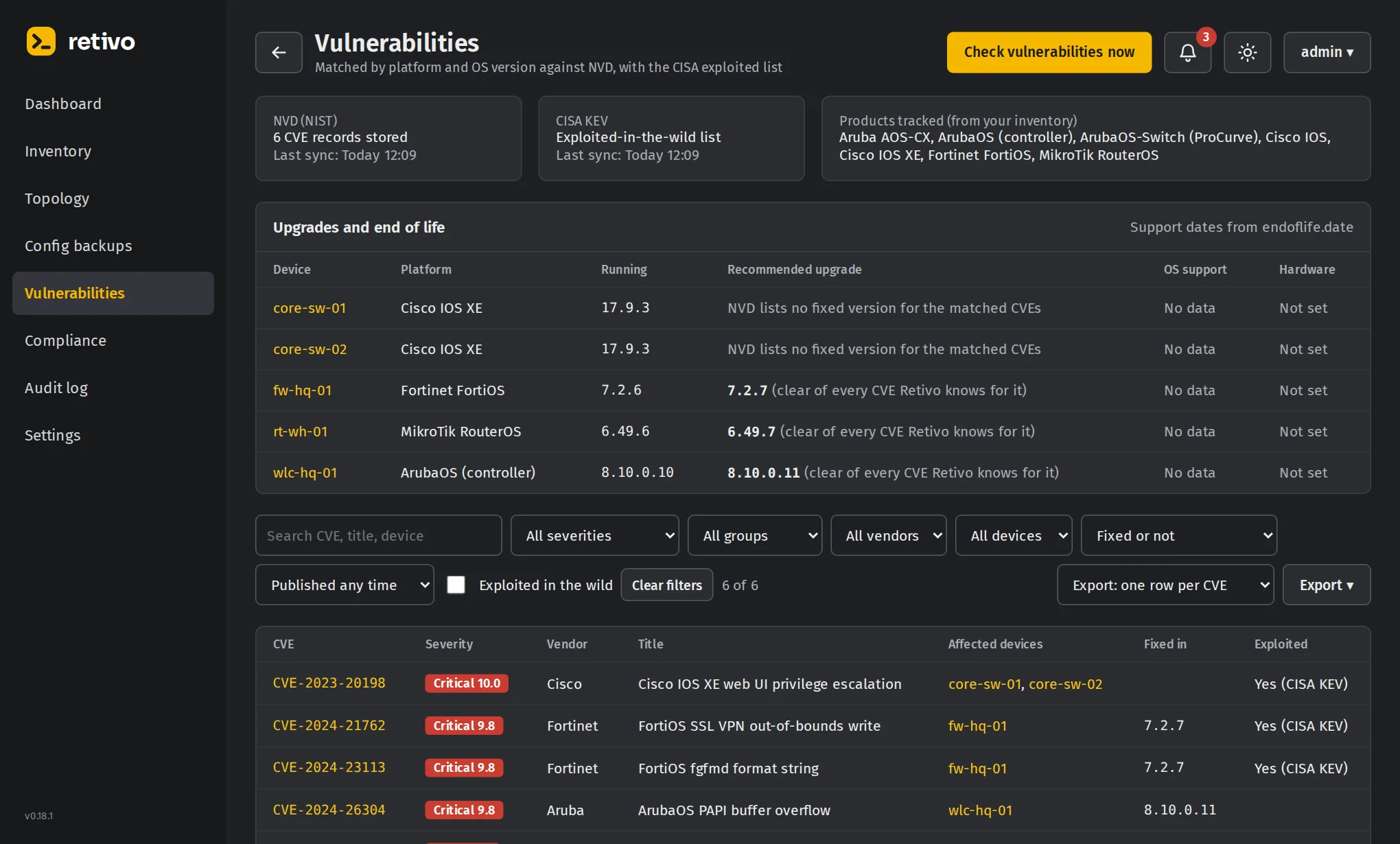
Every night Retivo reads the exact OS version running on each device and checks it against the NIST National Vulnerability Database and CISA's list of vulnerabilities exploited in the wild. You see what affects you, how bad it is, and which version fixes it.
- Exact versions read over SNMP or SSH, not guessed from a model name
- Exploited in the wild flagged first, straight from the CISA catalog
- The fix: the version that closes every known CVE, and when support ends
Everything a network team checks, in one place.
Built by a network engineer for the jobs you do every week, not for a slide deck.
Backups that show you what changed
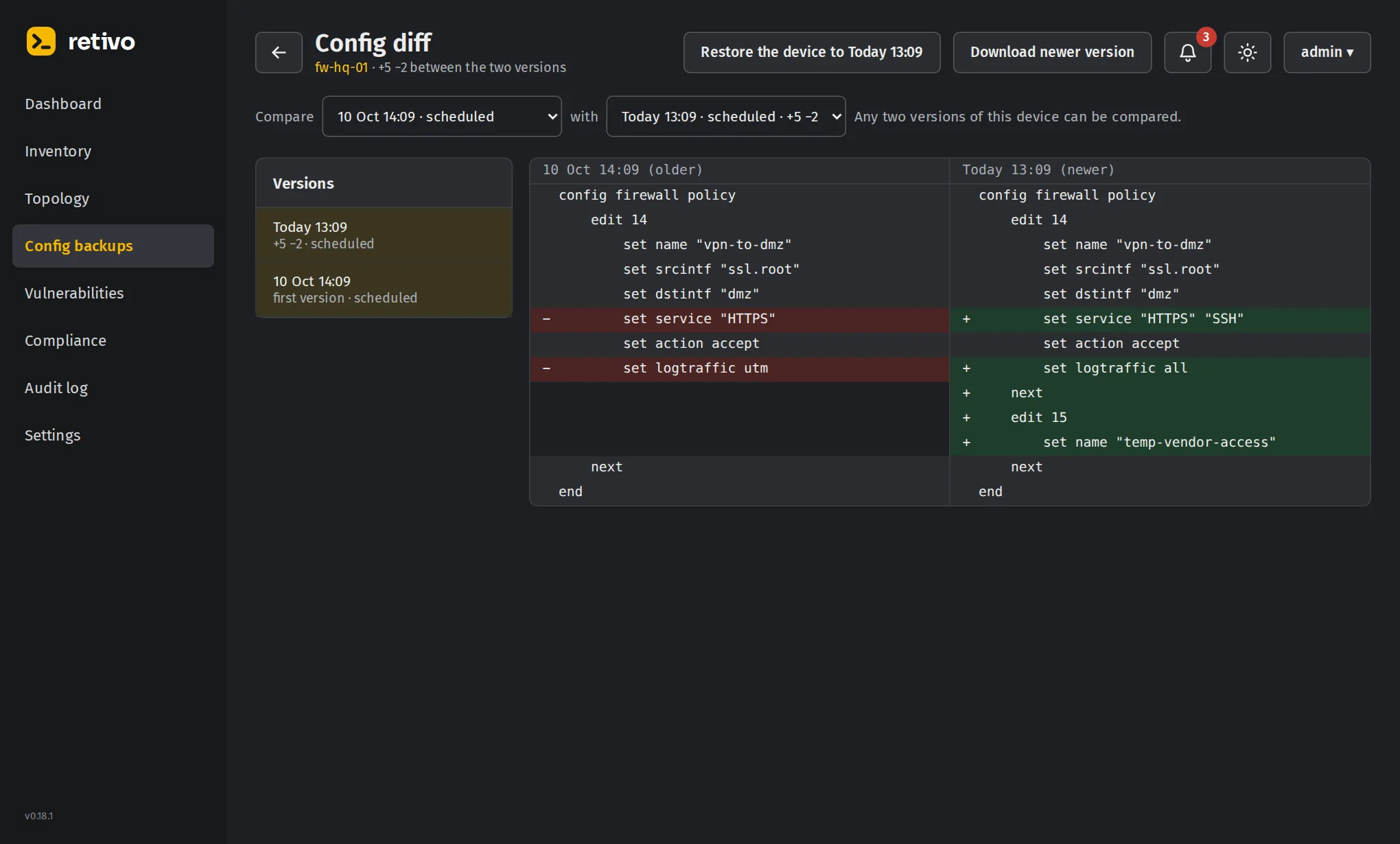
Every device is backed up daily and whenever you ask. A new version is kept only when the config really changed, and you can compare any two versions side by side. Copies can also go to S3, Google Drive, OneDrive, SFTP, FTP or TFTP.
- Push changes safely
- Send config lines to one device or a hundred. Retivo reads the live config first, shows what will be sent, waits for you to type yes, then shows the real before and after.
- Restore in minutes
- Pick an older version and Retivo proposes the commands that bring the device back to it.
- Compliance rules
- Decide per group whether Telnet, SSH, HTTP and HTTPS must be on or off, and write your own rules that a config must or must not contain.
- Live topology
- A map drawn from LLDP and CDP neighbours, with links that disappeared shown in red. Export it to PDF for the next audit.
- Firmware upgrades
- Upgrade Cisco, MikroTik and FortiGate from the browser, with flash and version checks before anything reboots.
- NetBot
- Ask what is down, what to patch first or how a feature works. Anything it changes waits for your confirmation.
- Roles and audit log
- Give each person only the groups and actions they need. Every action is logged and exports to Excel or PDF.
- Reports
- A weekly or monthly status report by email: devices down, failed backups, changes, vulnerabilities and end of life.
Your network data stays in your network.
You install a small Retivo Node next to your devices. It connects out to Retivo, so you never open a port or set up a VPN.
Install the node
Run Retivo Node with Docker on any small Linux server or VM that can reach your devices.
It dials out
The node opens one encrypted outbound connection to dash.retivo.net. No inbound rules, no port forwarding, no VPN.
Work from anywhere
Sign in at dash.retivo.net. Your requests travel through that connection to your node and back.
Stays on your node
- Device passwords, SSH logins and SNMP communities
- Every config version and backup
- Inventory, topology, audit log and the database itself
Kept by Retivo
- Your organization and its users
- Which nodes belong to you, and whether they are online
- Your plan and licence
Pages you open pass through the relay encrypted and are never stored there.
One plan with everything in it.
No feature tiers. Vulnerability checks, compliance, firmware upgrades and NetBot are in every plan.
Per device
$4.90
per device per year
- Every feature
- Unlimited nodes and users
- Email support
Unlimited
$6,900
per year, any number of devices
- Every feature
- Priority email and phone support
- Invoice and bank transfer
Managing networks for clients?
Retivo is multi-tenant from the start. Keep every client in its own organization with its own node, users and data, and pay monthly for the devices you manage.
Compared with Unimus
| Retivo | Unimus | |
|---|---|---|
| Price per device per year | $4.90, everything included | $6.90 Standard, $9.70 Advanced |
| Vulnerability checks (NVD and CISA) | Every plan | Not listed in their plans |
| Config compliance | Every plan | Advanced only |
| Unlimited devices | $6,900 per year | $9,900 Standard, $16,900 Advanced |
Unimus prices and plan contents as published for 1 October 2025, in US dollars.
Questions
Does Retivo see my device passwords?
No. Credentials, configs and the database live on the Retivo Node in your network. The cloud keeps your organization, users and licence, and relays the pages you open without storing them.
What do I need to run the node?
A Linux server or VM with Docker that can reach your devices over SSH or SNMP, and outbound HTTPS to the internet.
What happens if the internet connection drops?
The node keeps backing up, checking and logging on its own. You see everything again as soon as it reconnects.
Which vendors are supported?
Cisco IOS and IOS XE, Fortinet FortiGate, MikroTik RouterOS, Aruba (AOS-S, CX and Instant On), Juniper, Huawei, TP-Link, Ubiquiti and Starlink, with more added regularly.
Can I count devices by group or client?
Yes. Each organization sees its own device count and plan, and MSPs see all their clients together.